1. The github source code has many points to be fixed,
update map2gazebo/src/map2gazebo.py by following:
http://mionzwp.bumbleplay.com/ros/03-ros-generate-world-from-scan-map/
2. Edit the map (crop/rotate/add walls/add unknown area)
convert map.pgm map.png
edit map.png using any photo edit tool (photopea.com)
convert map.png map.pgm

3. Edit map.yaml file to set the robot origin
first set origin: [0.0, 0.0, 0.0], the bottom left of the map will be set to center in the rviz.
One grid equal to 1 metre.
Run rosrun rviz rviz -d navigation.rviz to open rviz.
Run rosrun map_server map_server cmc7f_202504.yaml to load map.
Update yaml file, Assign x = -5.0 will move map to the left, y= -5.0 will move map down.
The center of 10×10 grid is the position where the robot spawn.
Save yaml file, and load the map again to update origin position in rviz
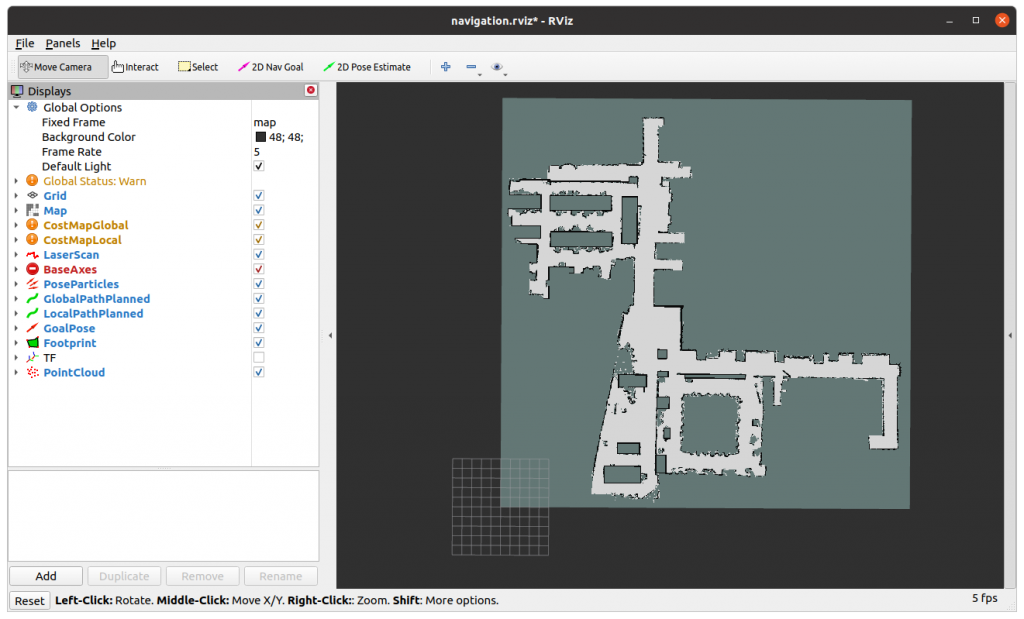
4. Run map_server to load map
rosrun map_server map_server cmc7f_202504.yaml
[ INFO] [1766297469.674219814]: Loading map from image “cmc7f_202504.pgm”
[ INFO] [1766297469.679488601]: Read a 850 X 850 map @ 0.050 m/cell
5. Run map2gazebo.launch to create a model from rosmap
roslaunch map2gazebo map2gazebo.launch params_file:=$(rospack find map2gazebo)/config/defaults.yaml
[INFO] [1766297467.412934]: map2gazebo running
[INFO] [1766297469.685248]: Received map
[INFO] [1766297481.411006]: Exported STL. You can shut down this node now
6. Run gazebo_world.launch, then File -> Save World As -> map_7f.worldroslaunch map2gazebo gazebo_world.launch
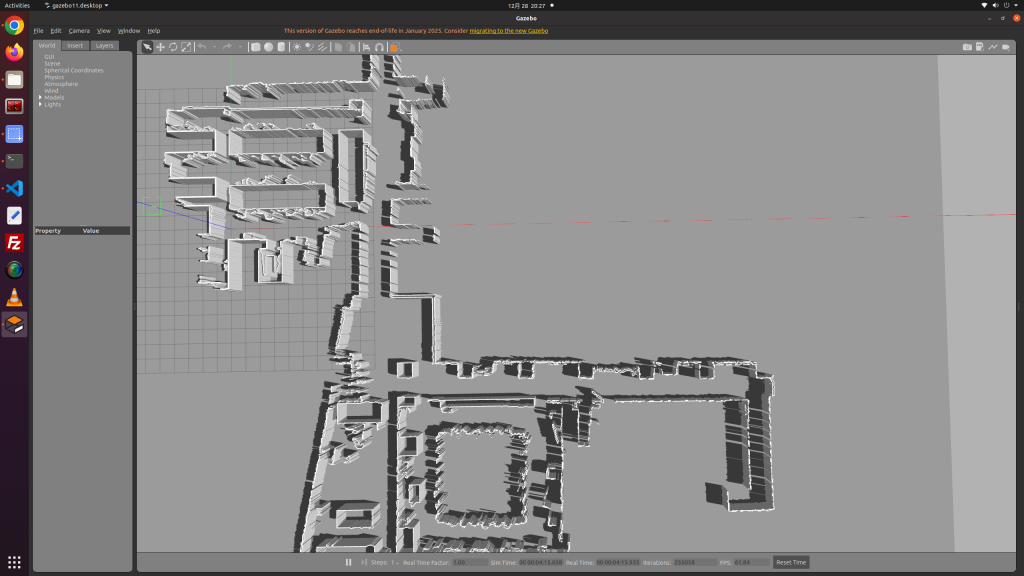
7. Copy .world file and folder ~/catkin_ws/src/map2gazebo/models to destination
8. Create a launch file that read load the model folder and .world file