
Hololens + Vuforia
พอดีว่า ใช้ Hololens RS4 อยู่(อันใหม่) จะเจอ
[ERROR] Failed to get spatial interaction controller – touchpad, thumbstick, and vendor data will be unavailable to the application for InteractionController! Error code: ‘0x00000000’.
ตอนที่กล้องจับภาพเห็นมือเรา
วิธีแก้ คือใช้ unity2017.4.1f1++ ที่เค้า patch error เอาไว้แล้ว
ซึ่งตามมาด้วย vuforia เวอร์ชั่นใหม่ ซึ่งต่างกับเวอร์ชั่นเก่าตรงที่ ARCamera ของ vuforiaไม่มีช่องให้ลิงค์กับ HololensCamera
วิธี setup อันใหม่ ก็จะประมาณนี้ (ไม่ใช้ ARCamera ละ)
1.Build Setting > Switch to UWP Platform
2.Player setting >
– XR Setting > Check Virtual Reality Support, Vuforia AR
– Publishing Setting > Capabilities > Check InternetClient, Webcam, Microphone
– Other Setting > Scripting Backend = .NET
3. Build Setting > check debugging Unity c# project
4.Import HoloToolkit-Unity-v1.2017.2.0
delete Main Camera
Drag drop HololensCamera > Add component =Vuforia Behavior
-Clipping planes near=0.01
-World Center Mode = CAMERA
– Open Vuforia configuration > Add License key from
https://developer.vuforia.com/targetmanager/licenseManager/licenseListing
-Max simultaneous tracked Image = 4 (แล้วแต่จำนวนว่ามีกี่อัน)
-Device type = Digital Eyewear
-Device Config = Hololens
-Check Load Museum Database, Activate
(รอซักพักให้มัน connect license key แล้ว จะมีชื่อ database ของเราโผล่ขึ้นมา)
5. Add image file (max 2 mb) to track at
https://developer.vuforia.com/targetmanager/project/deviceTargetListing
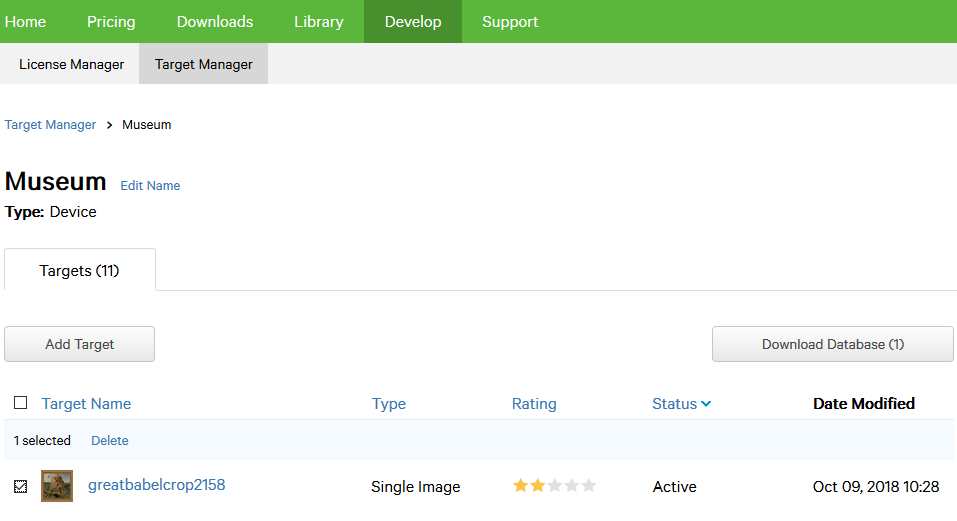
6. Select image to use > Click “Download Database” Button
-get (image database) unity package file > ลากเข้า unity
7. GameObject > Vuforia > Image
จะได้ Gameobject ชื่อ ImageTarget
-Transform scale = 1
-Database = museum
-Image Target = ชื่อภาพที่จะใช้ track
-Advance > Check Extended Tracking
Optional
- Add notice of display area : Canvas_debugarea.prefab, Render Camera = HololensCamera
- Add Cursor.prefab
- Add InputManager.prefab
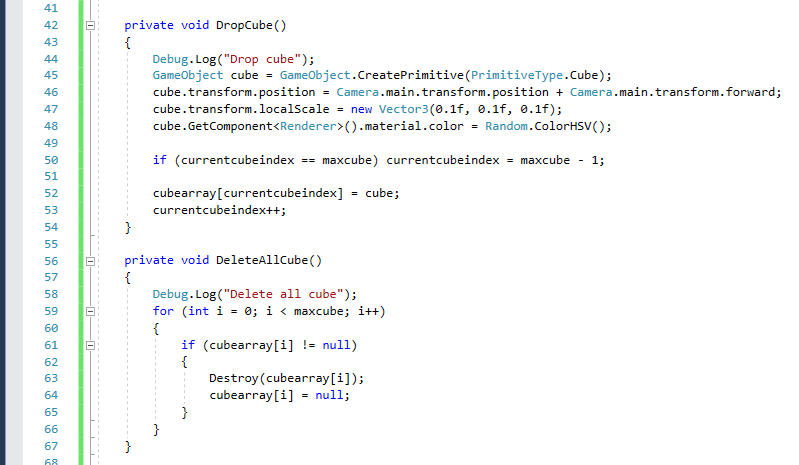
- Add spawncube : Spawncube.cs
- Add debug broadcast : DebugLogBroadcaster.cs
Hololens spawn cube + debug screen
กลับมาแตะ hololensอีกรอบ แบบหลงๆลืมๆ

1. new project on Unity5.6.5f1
2. import holotoolkit
https://github.com/Microsoft/MixedRealityToolkit-Unity/blob/master/External/Unitypackages/HoloToolkit-Unity-v1.5.6.0.unitypackage
3. Drag-drop HololensCamera,InputManager,Cursor
4.Code for spawn cube when airtap

ตรง inherit IInputClickHander, กับ เรียก PushFallbackInputHandler นี่สำคัญ ถ้าไม่ใส่ จะ airtab ไม่ติด
5. Create UI Image เพื่อสร้างขอบกำหนดระยะที่ hololensจะแสดงผล
ถ้าลองRemote Hololens แล้ว Run ดู จะเห็นว่า Display=1280*720
ตรง Canvas > Render mode = Screen space – camera แล้ว canvas จะ lock ติดจอ
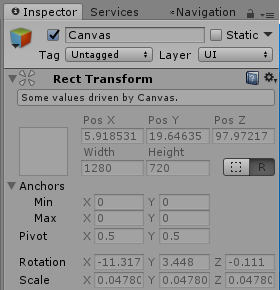
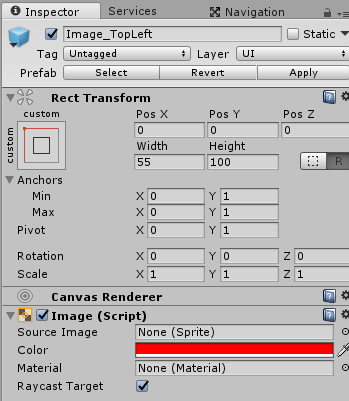
ลองกำหนด ขนาด image หลายๆค่า สรุปว่า ขอบที่ width = 50 ตอน remote ดูแล้วจะมองไม่เห็น หรือเห็นเป็นเส้นลางๆ
(ถ้าcaptureมา มันจะเห็นครึ่งนึง แต่จริงๆแล้วมองด้วยตาไม่เห็นเยอะขนาดนั้น)
เลยใช้ width=55 เพื่อตอนเล่นจะได้เห็นระยะว่า กล้องมันจับภาพ/แสดงผล ช่วงระยะไหน
** พอลอง deploy ดู เห็นขอบเต็มๆเลยอ่า..เลยใช้ค่าที่ 25
6. Create UI Text อันนี้เอาไว้ แสดงผล ตอนเราใช้ Debug.Log();
7. Code for show DebugLog

อย่าลืมลาก textbox UI มาใส่ที่โค๊ดนี้ใน hierarchy
8. ก็จะได้ output ประมาณนี้
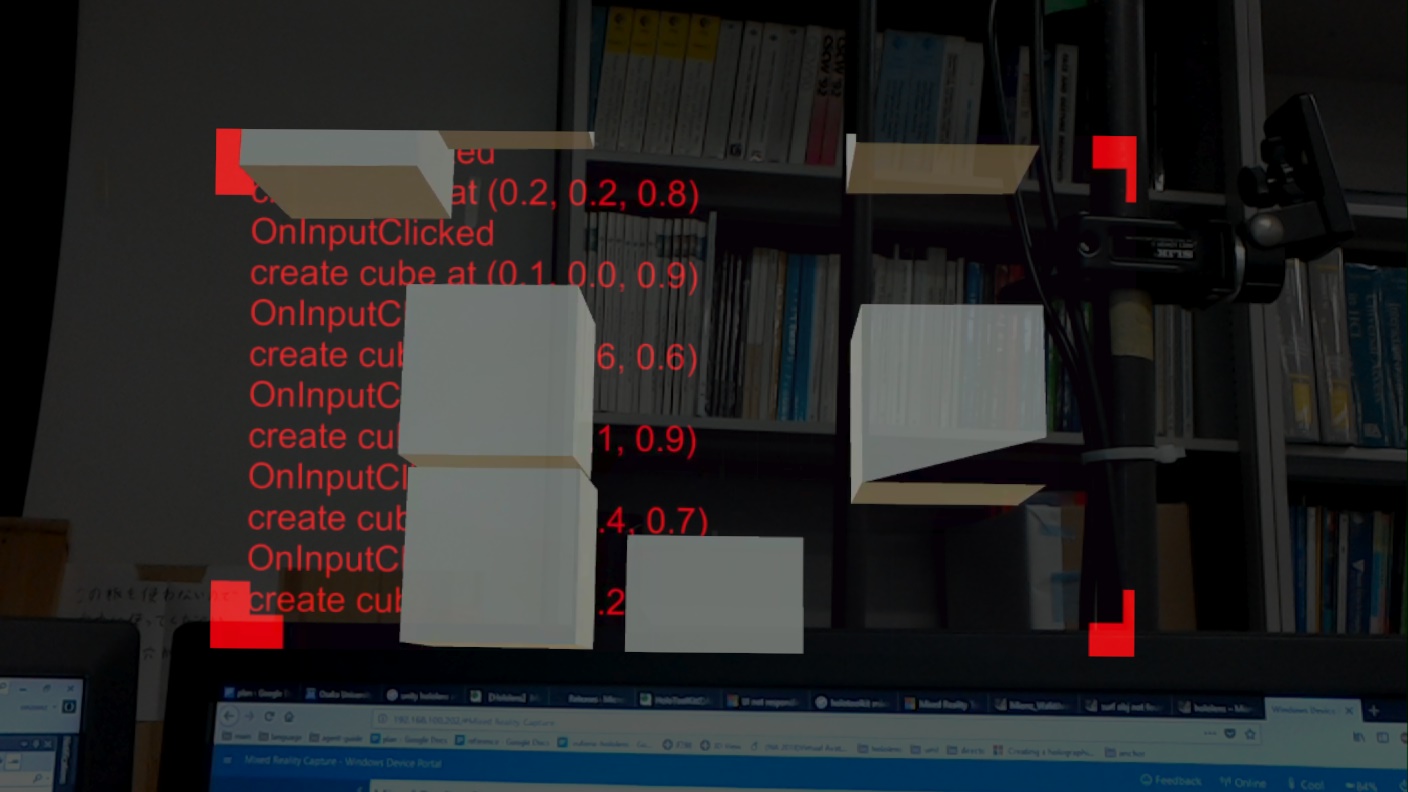
โค๊ดนี้ พอเรายกนิ้วขึ้น cursor จะไม่ขึ้น, cursor จะโชว์ตอนที่ gazeเราไปชนกับ cube เท่านั้น
คิดว่าเป็นเพราะไม่ได้ใส่ SpatialMapping prefab ไปใน hierarchy ก็เลย ไม่รู้ตำแหน่งที่gazeไปชนกับ object(mesh) ก็เลยแสดง cursor กลางอากาศไม่ได่
Hololens stuff
Holographic Remoting Host
https://github.com/Microsoft/MixedRealityCompanionKit/tree/master/RemotingHostSample
- Establishes a connection with the HoloLens
- Receives a data stream with input from a HoloLens
- Renders content in a virtual holographic view
- Streams content frames back to the HoloLens in real-time
- ใน vs2015 คลิกขวาที่ project ->Manage NuGet Packages -> browse Holographic Remoting ->download ,จะได้ build success
- เข้า Holographic remote player เอา ipมาใส่แทน 127.0.0.1 ใน RemotingHostSampleDesktop.cpp
- vs2015> start debugging
- กด space bar เพื่อ connect ไปยัง hololens
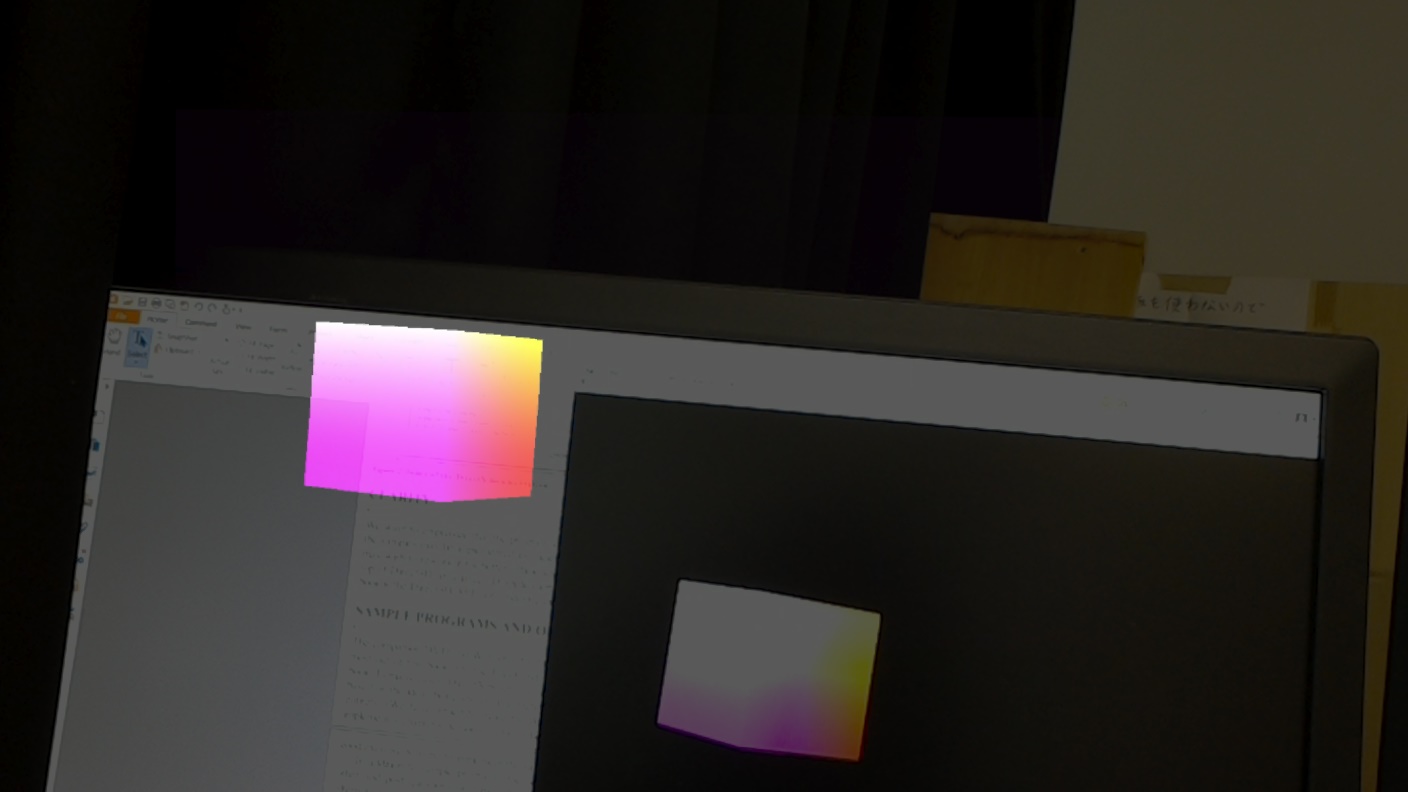
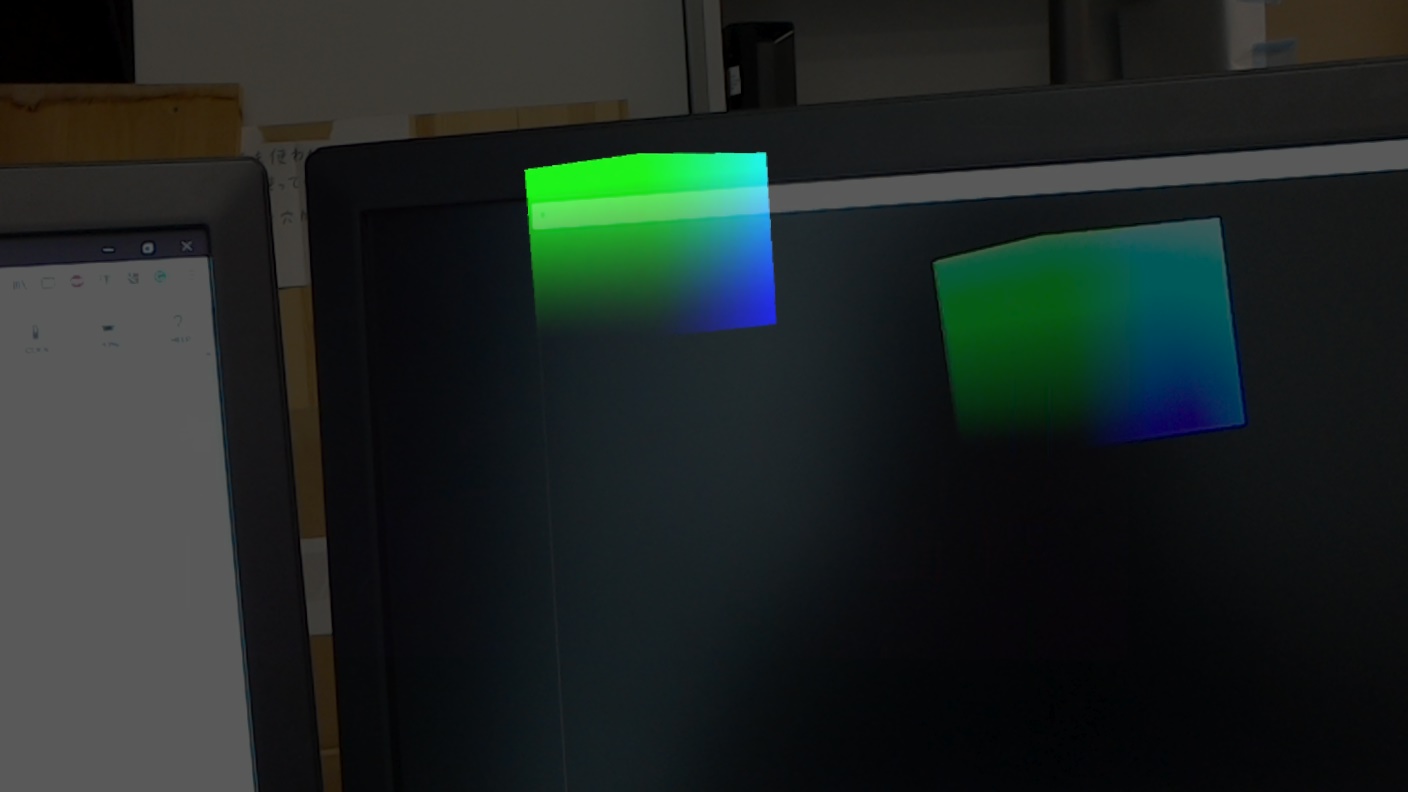
- กด p เพื่อ play/pause ในคอม cube จะ หยุดหมุน ,ใน hololens cube จะหมุนต่อ
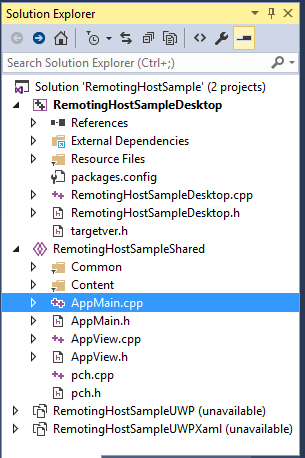 |
ใน AppMain.cpp มี
เราจะ เรียกอ่านค่า ใน anchor store ได้รึป่าวนะ..
|
https://docs.microsoft.com/en-us/windows/mixed-reality/add-holographic-remoting
มีอธิบายวิธีใช้ HolographicStreamerHelpers class ที่ handling remoting
Create a new UWP : holographic DirectX project (A holographic app can be a UWP app or a Win32 app)
https://docs.microsoft.com/en-us/windows/mixed-reality/creating-a-holographic-directx-project
- The project template shows how to create a world-locked cube that’s placed two meters from the user.
- The user can air-tap, or press a button on the controller,
- to place the cube in a different position that’s specified by the user’s gaze.
new project

ตัว Holographic Directx11 App เนี่ย vs2017ใน pc มี แต่ใน notebook ไม่มีแฮะ..
The holographic app templates are included in the same installer as the Microsoft HoloLens emulator.
Also ensure that the option to install the templates is selected before installing.
ออ notebook ลง hololens emulator ไม่ได้ (ไม่มี hyper-v hardware) เลยไม่มี Holographic Directx11 App template
Handle to Object Operator (^) (C++ Component Extensions) https://msdn.microsoft.com/en-us/library/yk97tc08.aspx
the “^” symbol to declare a variable somewhat similar to a pointer that can reference an object on the managed heap.
in Content/SpinningCubeRenderer.cpp
The default hologram in the template is a spinning cube that’s placed two meters away from the user.
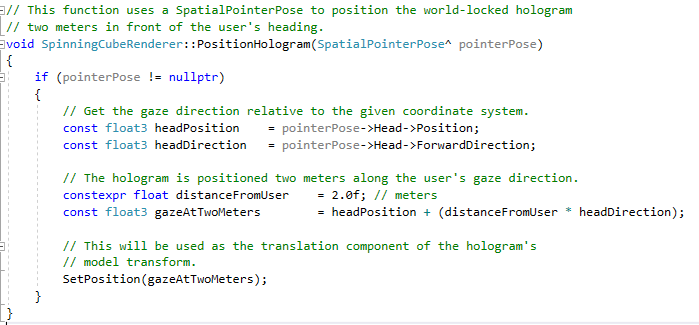
Hololens02 os build : 10.0.14393.2125
Hololens window update เป็น 10.0.17134.111 ละ
ลอง deploy ลง hololens แต่ว่า DEP6720: Failed to deploy package ‘Standard Collector Bridge’
DEP6959: Error removing the file from the remote device
ในเน็ตบอกว่า ให้ ทำ factory reset … (บางคนพึ่งมามีปัญหาหลัง update)
Holographic spatial mapping sample (UWP app in cpp)
https://github.com/Microsoft/Windows-universal-samples/tree/master/Samples/HolographicSpatialMapping
ดาวโหลด ทั้งโฟลเดอร์ window universal samples,
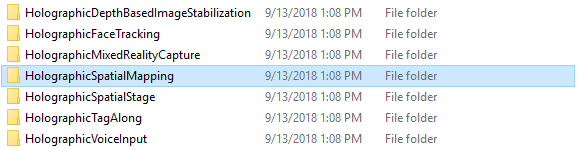
มีตัวอย่าง hololensหลายอันอยู่
เข้า vs2017 open solution : HolographicSpatialMapping.sln
project properties > เปลี่ยน target platform version ให้ตรงกับ hololens
ลอง build ดูก่อนรอบนึง เจอ error DEP6720: Failed to deploy package ‘Standard Collector Bridge’ เหมือนเดิม
ลองเอา hololens01 os 10.0.14393.2248 มา deploy ดู…deploy ใน pc ผ่าน ….
เอา hololens02 os 10.0.17134.111 ไป deploy ใน notebook ที่ลง vs2017 ใหม่….deploy ผ่าน
เอา hololens02 กลับมา deploy ใน pc…ก็ deploy ผ่านละ แบบ งงๆ
work step
pc : deploy Holographic Directx11 App on hololens02 error
pc: deploy HolographicSpatialMapping on hololens02 error
pc: deploy HolographicSpatialMapping on hololens01 successful
pc : deploy Holographic Directx11 App on hololens01 successful
notebook : deploy DirectX11 and XAML App on hololens02 successful
notebook : deploy HolographicSpatialMapping on hololens02 successful
pc : deploy Holographic Directx11 App on hololens02 successful
อาจจะเกี่ยวกับ target version มั๊ยนะ..
Spatial mapping in DirectX
https://docs.microsoft.com/en-us/windows/mixed-reality/spatial-mapping-in-directx
HoloLensForCV
https://github.com/Microsoft/HoloLensForCV
HoloLens Terrain Generation
http://thedemonthrone.ca/projects/hololens-terrain-generation-demo/
Todo: remote rendering, process at pc server
- รับ environment mesh, initial position จาก hololens มาไว้ที่ pc server
- mark ตำแหน่ง anchor ใน hololens ส่งไปเก็บไว้ใน server
- mark ตำแหน่ง anchor ที่ server ส่งค่าไป update ที่ hololens
hololens render tradeoff
1. On-board GPU rendering
- update position on screeen real-time when user head move
- low power of mobile CPU and GPU
- low visual fidelity but good framerate
2. Remote rendering
- send user head position to Server
- get pre-rendered image via low bandwidth wifi (802.11ac, 1.3 gigabits per second)
- has latency -> positioning of virtual object is unstable
avatar pointing note
จะทำ avatar ให้ชี้ที่วัตถุได้แบบ แม่นยำ
ที่เห็นในโปรแกรม smartbody ก็คือ ทำ animation ทิ้งไว้หลายๆอัน ชี้ซ้ายขวา ขึ้นลง สูงต่ำ ประมาณ40กว่าอัน
เสร็จแล้วก็มี ฟังก์ชัน pointing(ใส่วัตถุที่จะชี้) ซึ่งมันจะหา animation ที่มีตำแหน่งของมือที่ชี้ อยู่ใกล้ ตำแหน่งจริงที่จะชี้ มากที่สุด
แต่ว่า พอของที่จะชี้ มันอยู่ไกล…animationที่โปรแกรมเลือกมาให้เลยชี้ไม่ตรงของที่จะให้ชี้ (ไม่ตรงแบบเหมือนชี้มั่ว…หรือมันหา animation ให้ไม่ได้เลย random เอานะ?)
เห็นว่าถ้าเป็นฟังก์ชัน grab(ใส่วัตถุที่จะจับ) โปรแกรทก็จะเลือก animation ที่ใกล้ๆมาให้ แล้วก็ทำ inverse kinematic เพื่อยืดมือออกไปจับของอะนะ (แต่ไม่ได้ลองว่าถ้าของอยู่ไกลเกินมือเอื้อมจะเป็นยังไงแฮะ)
**
เราเลยพบว่า การเตรียม animation ทิ้งไว้นั้น ลำบาก เสียเวลา แถมยังชี้ไม่ตรงอีก(หรือไม่ก็ต้องมีanimationเตรียมไว้เยอะมากๆ)
เลยจะเสนอ algorithm สำหรับ pointing…ซึ่งมันก็คือ inverse kinematic 2 ข้อต่อ (ของคนอื่นเค้าเขียนทิ้งให้ใช้ฟรี….)
พอเอามาลองใช้แล้ว ก็เจอว่า แขนมันบิดผิดรูป กับ มือไม่แผ่มาหาทาง user (แบบว่าเวลาจะแนะนำอะำร มือมันควรจะหันออกมาทางคนที่กำลังพูดด้วย)
ตอนนี้ลอง fix องศาหมุนมือให้หันกาuserอยู่ แต่ก็ดูไม่สมจริงนิดนึง
กับถ้า เปลี่ยนตำแหน่ง avatar องศาที่fixไว้ มันใช้ไม่ได้ กลายเป็นชี้มั่วแขนบิดไปเลย…
กับอีกอันคือ ชี้มือขวา หรือมือซ้าย น่าจะทำให้มัน auto ได้นะ….
***
ยังมีัเรื่องของ ตำแหน่งของ avatar พอจะให้มันเดินหลบ หรือเดินตาม user ได้..
คือถ้าเขยิบนิดๆก็okอยู่…แต่พอต้องเขยิบมากๆ อยู่ใกล้ user เกินไป , user เดินไปอีกทางละ จะเดินตามอะไรยังไงตอนไหนดี….
virtual agent stuff
1.ใช้โปรแกรม makehuman สร้าง humanoid model แล้วเอาเข้าไป animate posture ใน unity
http://nw.tsuda.ac.jp/lec/unity5/index-en.html
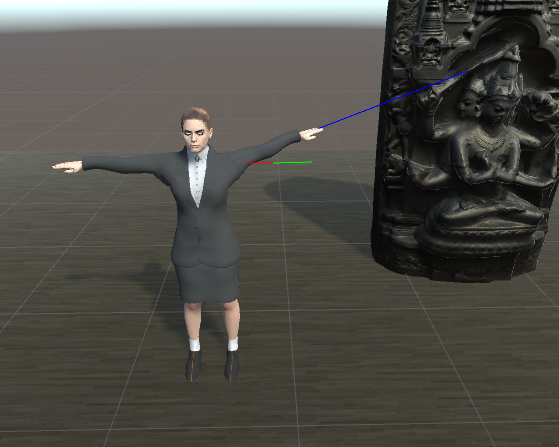

makehuman มันก็มี free model data ให้เลือกโหลดมาใส่ได้อยู่
http://www.makehumancommunity.org/clothesgallery.html
แต่เจอปัญหารองเท้าส้นสูงกับเท้ามันใส่ไม่เข้า เห็นว่าต้องไปดัดเท้าเองใน blender …
2. ใช้โปรแกรม mixamo สร้าง animation posture
https://www.mixamo.com/
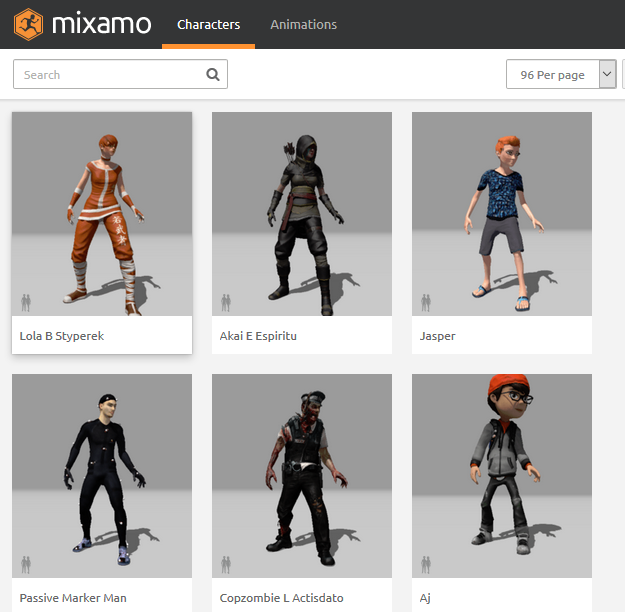
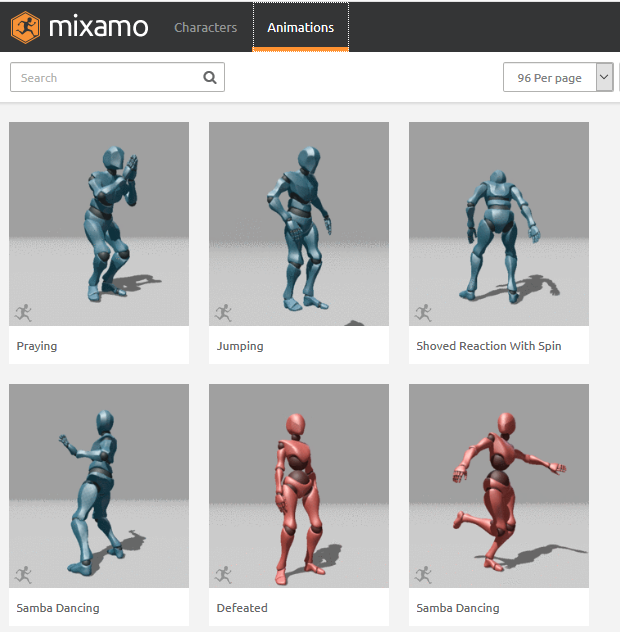
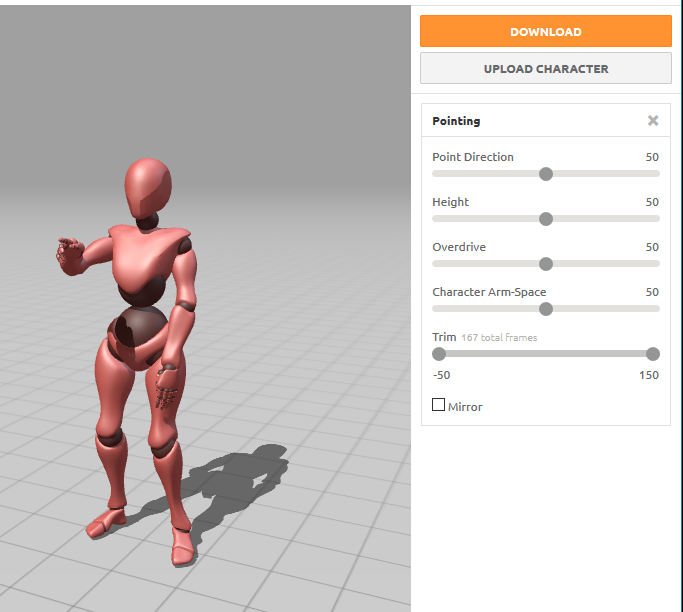
คือมันจะมี character กับ animation ให้เราเลือก จะ upload character ของตัวเองขึ้นไปแล้วใส่ animationที่มีอยู่ก็ได้
แต่ลอง upload unitychan ไม่ได้อ่า…
แล้วก็ animation มัน fix ท่าทางมาละ ถ้าจะให้ชี้นู่นนี่ได้อิสระ น่าจะต้องเขียนโค๊ด ให้มันหมุนไหล่หมุนแขนเองแฮะ
3.โปรแกรม smartbody http://smartbody.ict.usc.edu/
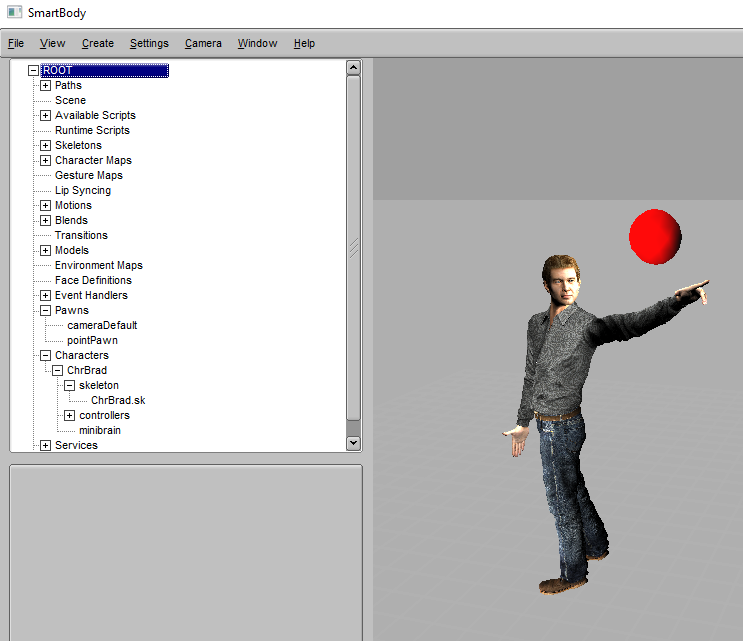
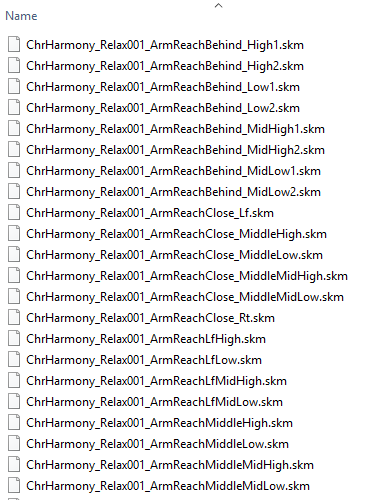
โปรแกรมนี้มี example character มาให้ละ ใช้ python เขียนสั่ง bml ให้character ทำท่าทางอะไร มองไปทางไหน พูด lipsyn ได้
ฟังก์ชัน pointing นั่นจะ คำนวณตำแหน่งสิ่งที่ชี้ กับ animationที่จะให้ตำแหน่งของนิ้วอยู่ใกล้วัตถุมากที่สุด
animation ในการยกแขนชี้นู่นนี่มีอยู่ 39 ไฟล์ ถ้าของอยู่ใกล้จะสั่งให้หยิบแตะของนั้นก็ได้ ถ้าของอยู่ไกลตัวเหมือนจะคำนวณพังกลายเป็นชี้มั่วเลย
4.โปรแกรม vitual human toolkit https://confluence.ict.usc.edu/display/VHTK/vhtoolkitUnity
อันนี้เป็น โปรแกรมที่รวม smartbody + npc editor + gui +etc เข้าไปให้ใช้งานง่ายขึ้น เหมือนเป็นโปรแกรมทำ animation ตัวนึง…แต่ยังใช้ยากอยู่ดี…
ข้อดีคือ มันมี unity plugin ว่าจะลองใช้ดู

ก็ download ตัว indow installer 3.9Gb มา(ข้างในมี 3rd party installerให้แล้ว)
พอ installเสร็จ ให้ import
- vhAssetsPackage
- vhAssetsTestScenePackage
จากโฟลเดอร์ C:\vhtoolkit\bin\VHAssets เข้าไปไว้ใน unity 2017.1.0f3 project…ก็จะใช้ vhtoolkitใน unity ได้ละ
Duality
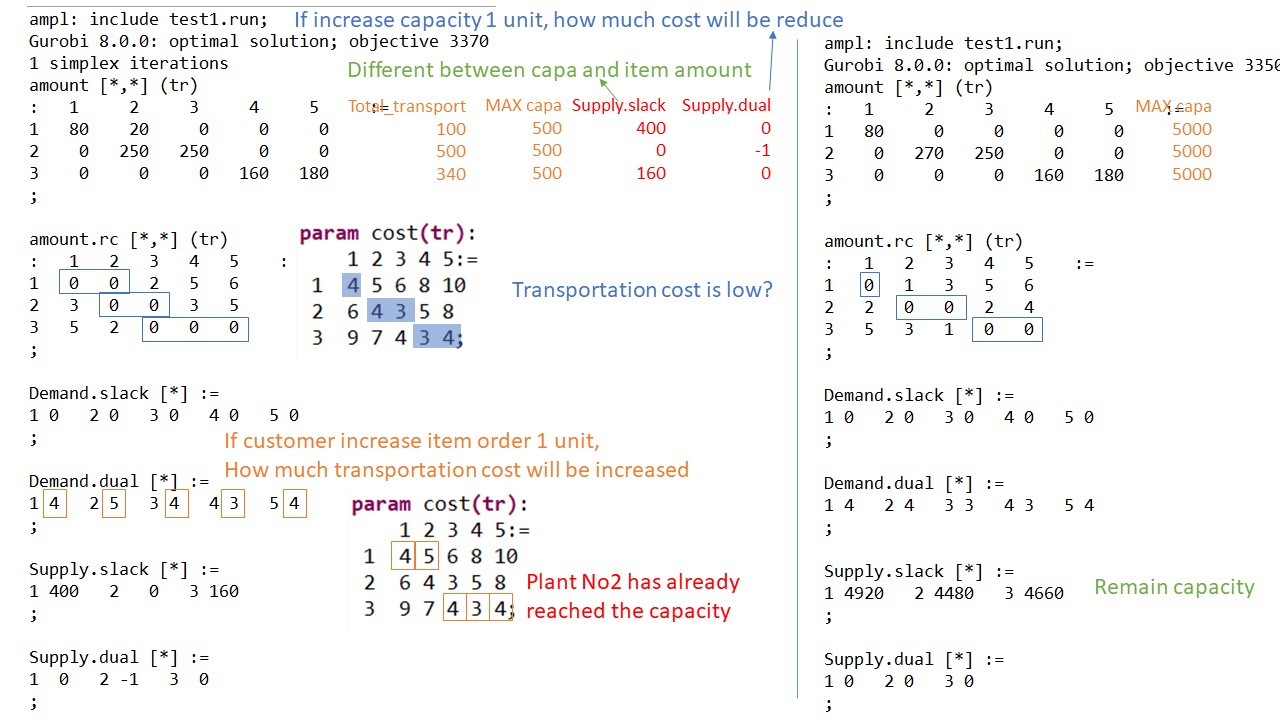
Transportation problem is defind as (Primal model)
- we have muktiple factory and multiple customer
- each factory has a capacity amount of items
- each customer place an order amount of items
- there are a different cost of sending 1 item from factoryABC to customerABCD
- To minimize transportation cost,
- which factory should send item to each customer
- and how many items do that factory send.
In another view of problem (Duality model – provide vital economic interpretations)
- If we want to expand a factory (to increase a capacity per factory), How much cost will be reduced.
- If customers order more items, How much profit we will get.
shadow price :the optimal values of dual variables associate with each constraint
- is a price that paid for 1 unit of resource.
reduced cost : associate with each decision variable. defined as the change in objective function value
- is also called opportunity cost.
Mathematical Optimization
Mathematical Optimization = finding the best solution base on a given ojective function
Objective function = maximize or minimize
https://ampl.com/resources/the-ampl-book/chapter-downloads/
https://media.readthedocs.org/pdf/scipbook/latest/scipbook.pdf
Linear optimization (a1x1+a2x2+…+anxn) : most basic
– Integeroptimization: more complicate (NP-class)
Ex. find maximum number of chicken and rabbit, while theare are 5 heads and 16 feet.
Non-linear optimization : difficult to solve
-Quadric optimization (x^2+xy) polinomial up to 2 : able to solve by using SCIP (especially if convex function)
To solve
1. define mathematical fomular
- variables :
- x1
- x2
- objective function :
- maximize 25×1+30×2
- contraints :
- 0<=x1<=6000
- 0<=x2<=4000
- x1/200+x2/140<=40
2. write AMPL code from mathematical formular
var XB;
var XC;
maximize Profit: 25 * XB + 30 * XC;
subject to Time: (1/200) * XB + (1/140) * XC <= 40;
subject to B_limit: 0 <= XB <= 6000;
subject to C_limit: 0 <= XC <= 4000;
using Apache ActiveMQ
Apache ActiveMQ is a queue management software.
1. install jre environment
http://www.oracle.com/technetwork/java/javase/downloads/jre10-downloads-4417026.html
2. download Apache ActiveMQ
http://activemq.apache.org/download.html
extract at C:\apache-activemq-5.15.4
3. check java version
runcmd as administrator type : java -version
4. install ActiveMQ service
change directory in cmd to C:\apache-activemq-5.15.4\bin\win64
or C:\apache-activemq-5.15.4\bin\win32
type: InstallService.bat
5. type “services” in windows search box, then open services window
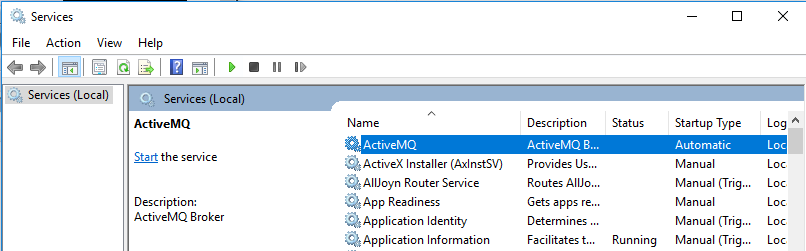
6. right click at ActiveMQ > Start
7. open web browser to see queue
goto http://127.0.0.1:8161
click Manage ActiveMQ broker
Login: admin
Password: admin